
# Case Study: Upgrading an Unstable Boardroom NUC to the Yealink MeetingBar A50

Every IT director recognises this scenario: a high-stakes executive meeting is scheduled to start in three minutes, and the boardroom phone rings. The webcam on the tripod won’t connect, the Windows NUC mini-PC is stuck in a forced OS update loop, and loose USB extensions are hanging off the edge of the desk.
For many businesses, the legacy approach to outfitting a medium-to-large boardroom involved assembling a "franken-system": consumer-grade webcams, desktop speakerphones, and a standard Windows NUC hidden behind the display. While cost-effective on paper, these fragmented systems introduce immense user friction. If the internal IT team isn't physically present in the room to configure the peripherals, audio routing, and login states, the meeting simply doesn't happen on time.
By replacing this high-maintenance setup with an all-in-one Yealink MeetingBar A50, organisations can transition from a delicate, multi-component PC architecture to a highly reliable, enterprise-grade appliance.
## The Core Technical Flaw of the Boardroom NUC
The core problem with utilising a standard Windows NUC for general staff use isn’t a lack of computing power; it is volatile driver state management.
When a boardroom relies on independent USB peripherals (like legacy Logitech webcams or generic audio pucks) connected to a Windows host, the system lacks dedicated appliance hardening. A standard background Windows update, an accidental unplugging of a USB cable, or a change in the default audio playback device can break the entire room's hardware configuration.
Non-technical users walking into a boardroom expect a seamless appliance experience. They should not have to interface with a Windows desktop, use a wireless keyboard and mouse on a boardroom table, or troubleshoot device manager properties just to start a video conference.
## Why the Yealink A50 Architectural Switch Works
The Yealink MeetingBar A50 resolves these pain points by completely eliminating the external computer and consolidating the hardware stack. Powered by a high-performance Qualcomm chipset running native Android, the A50 acts as a dedicated Microsoft Teams Rooms on Android (MTR-A) or Zoom Rooms appliance.
### 1. Hardened Android OS vs. Volatile Windows Desktops
Running on Microsoft’s secure Device Ecosystem Platform (MDEP), the A50 treats video conferencing as a dedicated firmware operation rather than an application running on top of a desktop OS. There are no surprise desktop notifications, no driver mismatches, and no user-facing operating system layers to confuse staff.
### 2. Elimination of Visual Clutter and Tripods
Legacy setups relying on tripods are highly vulnerable to physical disruption. A tripod gets bumped, and the camera angle is ruined. The Yealink A50 features a premium dual-camera system integrated directly into the chassis: a wide-angle lens and a dedicated telephoto lens. Backed by automated AI tracking technologies like IntelliFocus, the bar dynamically frames active speakers and meeting participants cleanly without requiring manual adjustment.
### 3. Streamlined Control via the CTP25 Touch Panel
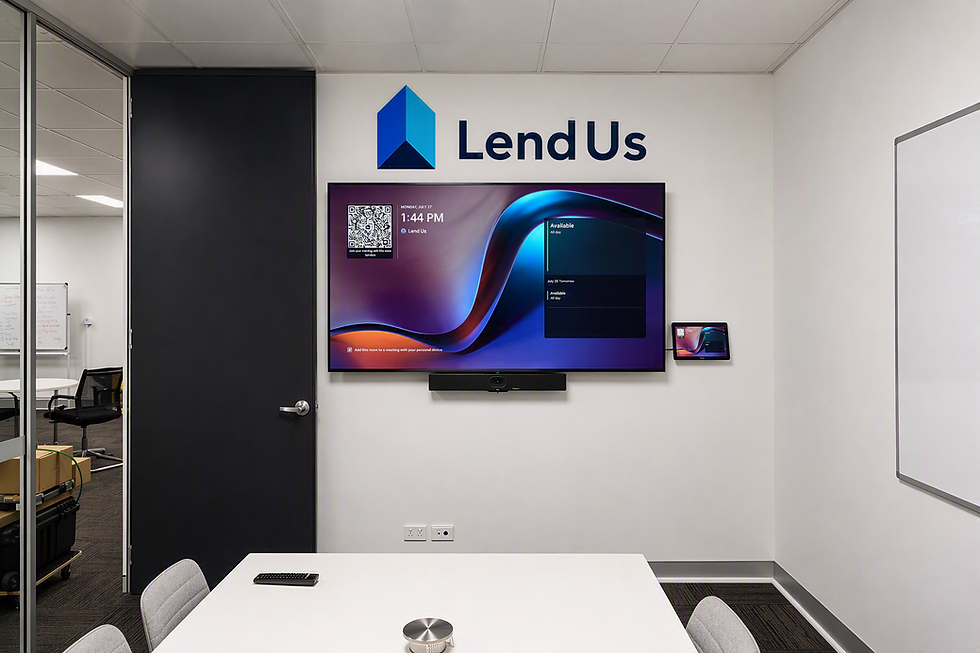
Instead of forcing users to hunt for a mouse or log into a computer, control is delegated to a dedicated table console. The Yealink CTP25 Touch Panel sits permanently on the boardroom table, connected and powered over a single Power-over-Ethernet (PoE) cable. It provides an intuitive, high-visibility "One-Touch Join" interface that mirrors the universal Microsoft Teams calendar layout.
## Side-by-Side Comparison: DIY NUC vs. Dedicated Video Bar
| Architectural Metric | Legacy DIY Setup (Logitech Webcams + Windows NUC) | Modernized Setup (Yealink MeetingBar A50 System) |
| User Interface | Wireless keyboard/mouse; confusing Windows desktop environment. | Dedicated CTP25 Touch Console with permanent one-touch "Join" utility. |
| Camera Stability | Manual tripod mounts; highly susceptible to physical bumps and misalignment. | Dual-lens AI Camera System with integrated speaker tracking and auto-framing. |
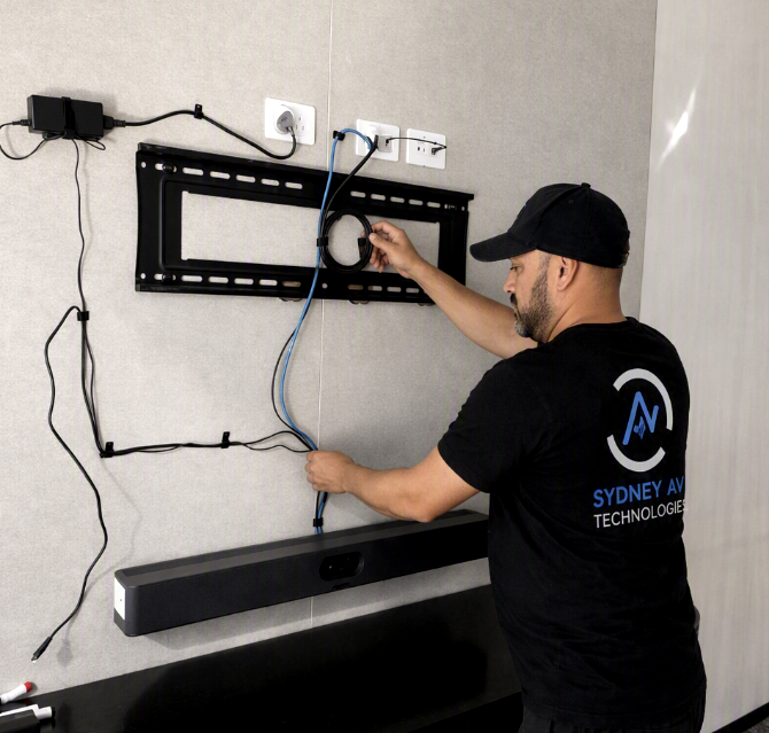
| Cable Management | Fragmented USB extensions, power bricks, and HDMI lines prone to loose connections. | Clean wall or TV mount; single Cat5e cable run to the center table console. |
| Audio Infrastructure | Basic webcam mics or unanchored desktop pods; high echo in glass rooms. | Integrated 16-element MEMS microphone array with active AI noise cancellation. |
| IT Overhead | High touch. Frequent helpdesk callouts for connection, driver, and update faults. | Low touch. Secure appliance managed remotely via Teams Admin Center. |
## Operational and Network Deployment Considerations
Transitioning a corporate boardroom to an Android-based appliance architecture requires minor, intentional adjustments from your internal network team:
*Network Provisioning:** The Yealink A50 and the CTP25 panel communicate locally over your network. It is best practice to place both devices on a dedicated AV or Voice VLAN to isolate traffic and ensure quality of service (QoS).
*Power over Ethernet (PoE):** While the main A50 bar runs on standard AC power, the CTP25 touch panel requires standard 802.3af PoE. If your boardroom table lacks an active PoE network drop, a standard inline PoE injector must be provisioned in the floor box or wall cavity.
*Firewall Hardening:** To maintain seamless cloud connectivity for Microsoft Teams Rooms, your security infrastructure must allow persistent outbound traffic on standard ports, specifically HTTPS (443) and SRTP (5060/5061).
## The Verdict: Reducing Total Cost of Ownership
While assembling loose peripherals and a mini-PC might carry a lower initial hardware cost, the long-term cost of ownership is substantially higher due to lost productivity and constant IT intervention. Upgrading your boardroom to a unified system like the Yealink MeetingBar A50 replaces technical uncertainty with structural reliability. End-users gain a straightforward, highly reliable space to conduct business, and your internal IT team is freed up to focus on high-impact projects instead of troubleshooting basic boardroom connections.
Comments