
How to Choose Meeting Room AV for Your Office: A Practical Buyer’s Guide

A practical, evidence-based buyer’s guide from Sydney AV Technologies to help facilities managers and IT admins select meeting room AV that fits space, budget, and hybrid needs. Includes a vendor checklist, ROI considerations, and actionable steps.
Author: Sydney AV Technologies (sydney av technologies)
Last updated: 1/06/2026
Why this guide matters (and how it supports E-E-A-T)
- Experience: Written by a team that designs, installs, and supports meeting-room AV for offices of all sizes. 🧰
- Expertise: Practical guidance across acoustics, displays, audio, conferencing platforms, room control, and security. 🧠
- Authority: Aligns with industry standards (AVIXA concepts, room acoustics basics, security best practices) and proven vendor evaluation methods. 🏛️
- Trust: Transparent checklists, measurable outcomes, and a repeatable buying process you can adapt. 🔎
If you’re aiming to improve collaboration, reduce meeting friction, and protect your long-term investment, this guide helps you choose AV that actually works in real office environments.
1) Start with your goals and room profile
Before you buy, define the space and use-cases. Answering these helps you compare options objectively.
Typical attendance: How many people in the room? In-person, hybrid, or remote?
Common scenarios: Presentations, video conferences, whiteboarding, training, or client reviews?
Room layout: Boardroom, U-shaped, classroom, or auditorium-style?
Budget range: Hardware, installation, and ongoing support
Future-proofing: Do you anticipate new collaboration platforms or devices?
Pro tip: Create a quick “room profile” for each space (size, ceiling height, lighting, glass surfaces, and echo/ambient noise). It makes option comparisons consistent.
2) Core features to evaluate (with notes on when they matter)
A. Display and video
- Display size and resolution: 4K typically preferred for clarity; smaller rooms may do 1080p if budget is tight.
- Camera coverage and quality: PTZ vs fixed; glass-friendly angles and coverage for all participants.
- Platform compatibility: Zoom, Teams, Meet, Webex; H.264/H.265 support where relevant.
- Wireless vs wired: HDMI/USB-C/HDBaseT options; consider a hybrid approach.
- Daylight readability: Anti-glare surfaces and brightness suitable for daylighted rooms.
B. Audio and acoustics
- Microphone array: Ceiling, tabletop, or hybrid setups; coverage for all seating positions.
- Speakers and acoustics: Clear intelligibility; echo cancellation and noise suppression.
- Acoustic treatment: Panels, diffusers, or bass management to reduce reflections.
- Feedback and gain control: Automatic level control and feedback suppression features.
C. Connectivity and control
- Core ports: HDMI, USB-C, USB-A; wireless display options where feasible.
- Room control integration: Touch panels, scheduling, lighting, blinds, power management.
- Security posture: Firmware update cadence, device hardening, guest casting controls, network segmentation.
D. Conferencing platform compatibility
- Primary platforms: Ensure reliable operation with Zoom, Teams, Meet, Webex, etc.
- User experience: Simple screen sharing, reliable wireless casting, and good interoperability with BYOD devices.
E. Wireless and BYOD
- Wireless latency and reliability: Consider latency under typical collaboration scenarios.
- Security for guest devices: Secure guest networks, VLANs, and access controls.
- Interference considerations: 2.4 GHz/5 GHz bands, presence of other wireless devices.
F. Room management and maintenance
- Status dashboards: Device health, updates, and remote monitoring.
- On-site support and SLAs: Availability of quick-turn service and post-install support.
3) Space-friendly, future-proofing, and security tips
- Future-proofing: Favor standards-based interfaces (USB-C/HDMI) and scalable wireless casting options.
- Security: Regular firmware updates, network segmentation for AV devices, and controlled guest access.
- Accessibility: Captioning, intuitive room interfaces, and clear signage to support all users.
Visual cue: Plan a simple diagram showing the signal path (source → display → camera → microphone → control system) with color cues to illustrate dependencies and potential failure points.
4) Budgeting, ROI, and total cost of ownership (TCO)
- Upfront costs: Equipment, installation, cabling, and commissioning.
- Ongoing costs: Licenses (if any), maintenance, and periodic upgrades.
- ROI indicators: Meeting efficiency, time-to-start, reduction in technical issues, and user satisfaction.
- Quick calculation approach: estimate minutes saved per week × average hourly rate; compare to 3–5 year TCO.
Tip: Build a simple ROI/TCO template to compare options side-by-side. This transparency helps stakeholders understand value and supports trust.
5) How to evaluate vendors and proposals (practical checklist)
- Credibility: Years in business, representative clients, and documented project outcomes.
- Certifications and expertise: AVIXA CTS-designation or equivalent; trained installation teams; post-sale support.
- References: 2–3 references with measurable outcomes (uptime, user satisfaction, time saved).
- Scope clarity: Clear BOM, installation plan, lead times, and post-install support.
- Security and privacy: Firmware update processes, access controls, and network segmentation plans.
- Training and handover: Staff onboarding, user guides, and ongoing support options.
- Usability: Intuitive controls and acceptance testing with actual users.
Sydney AV Technologies recommends requesting a standardized vendor matrix to compare features, price, and service levels transparently.
6) A practical 7-step buyer’s process
1) Assess each room with a profile sheet (size, use-case, light levels, existing cabling).
2) Define must-have vs nice-to-have features; prioritize audio clarity and platform compatibility.
3) Shortlist 3–5 vendors and request a standard discovery checklist.
4) Review proposals against a shared scoring rubric (cost, performance, support, timelines).
5) Request a pilot/demo or test content to verify performance.
6) Check references and verify post-sale support terms (SLA, response times).
7) Decide and plan a staged rollout with installation and staff training.
Tip: Create a “Vendor Q&A” document to guide discussions and ensure apples-to-apples comparisons.
7) Implementation basics: what to expect
- Timeline: Site assessment, design, procurement, installation, and commissioning.
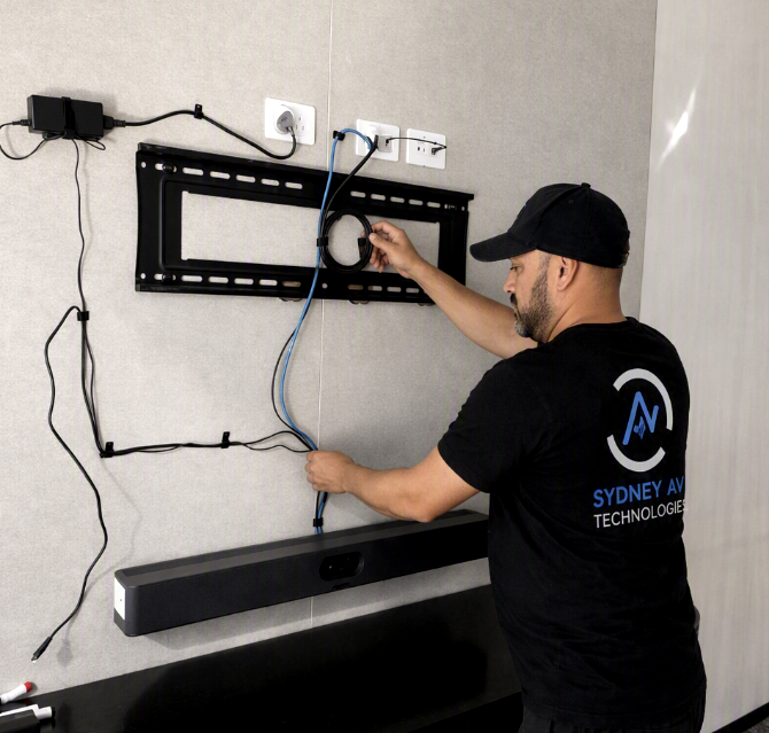
- On-site considerations: Power, cable routing, mounting, and room signage.
- Training: Quick-start guides and staff training sessions.
- Post-launch: 2–4 weeks of adjustments based on user feedback and usage metrics.
8) Quick-start buyer’s checklist (copy-and-use)
- Room size and occupancy: 4–6, 8–12, or larger?
- Platform compatibility: Zoom, Teams, Meet, etc.
- Audio coverage: Consistent pickup for all seating positions
- Display and layout: Glare control and appropriate screen size
- Cabling options: Wired vs wireless confidence and redundancy
- Security: Firmware updates and guest access controls
- Budget: Up-front vs ongoing costs
- Support: SLAs and response times
- Training: User guides and admin training
- References: 2–3 client references and 1 demonstration room
9) Case-study snapshot (anonymised)
- Situation: A mid-sized 12-seat conference room needed reliable hybrid collaboration.
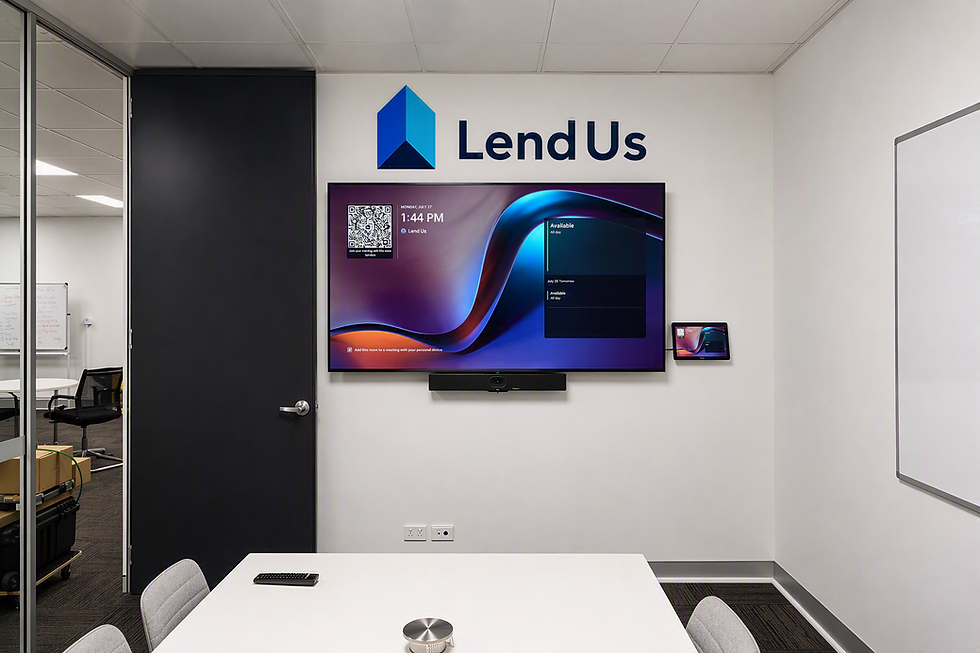
- Solution: Integrated a 4K display, ceiling microphone array, and a USB-C/HDBaseT hybrid routing approach; implemented a room-control panel.
- Implementation: 2-week design, 1-week install, and 1-week staff training.
- Outcomes: 40% reduction in meeting start delays, 98% uptime over 6 months, improved user satisfaction scores.
- Lessons learned: Early user testing and a pilot in a smaller adjacent room helped refine room-by-room settings and labelling.
10) About the author: Sydney AV Technologies

Andrew Jones from, Sydney AV Technologies is your partner for meeting room AV solutions that fit real offices, from small huddle spaces to large conference suites. Our team combines design, installation, and ongoing support to deliver reliable collaboration, clearer communication, and measurable improvements in meeting productivity. For this article, we drew on field experience and industry best practices to deliver a practical, buyer-focused guide you can trust.
Bring your rooms into peak performance
- Ready for a no-pressure discovery? Schedule a quick room-profile assessment with Sydney AV Technologies to see how your spaces perform today and what they could become with a targeted AV upgrade.
Comments