
From Meeting Room Frustration to Effortless Collaboration: How Sydney AV Technologies Helped Aline Pumps

For many businesses, meeting room technology has evolved gradually. A display is added, then a camera, followed by a small computer and a collection of cables and adaptors. While each component may work individually, the overall system can become difficult for staff to operate consistently.
That was the challenge facing Aline Pumps.
The company’s meeting room had an outdated setup consisting of a consumer-grade display, a single USB video bar and an Intel NUC. Although the system could support video meetings, it was not providing the simple and reliable experience employees needed.
Staff frequently struggled to start Microsoft Teams meetings, resulting in delayed starts and regular calls to IT for assistance. Instead of walking into the room and confidently beginning a meeting, users had to work out how to connect the equipment, select the correct devices and get the video call running.
The technology was getting in the way of the meeting.
The Problem: A Meeting Room That Was Too Complicated
A meeting room should make collaboration easier. At Aline Pumps, the existing combination of separate devices created unnecessary complexity.
The original room included:
A consumer-grade display
A single USB video bar
An Intel NUC
Multiple connections and components
An interface that staff found difficult to operate
Ongoing reliance on IT support
The consumer display was also not designed specifically for a commercial meeting room environment. The original proposal noted that the display provided approximately 200 nits of brightness, making it difficult to view clearly under fluorescent office lighting.
When employees were unsure how to start meetings or connect the room equipment, meetings could begin late and productivity was affected. The room was technically available, but employees did not have confidence that it would work when needed.
The Solution: A Purpose-Built Microsoft Teams Room
Sydney AV Technologies assessed the room and recommended replacing the collection of separate consumer devices with a dedicated, professional Microsoft Teams Room solution.
The new system included:
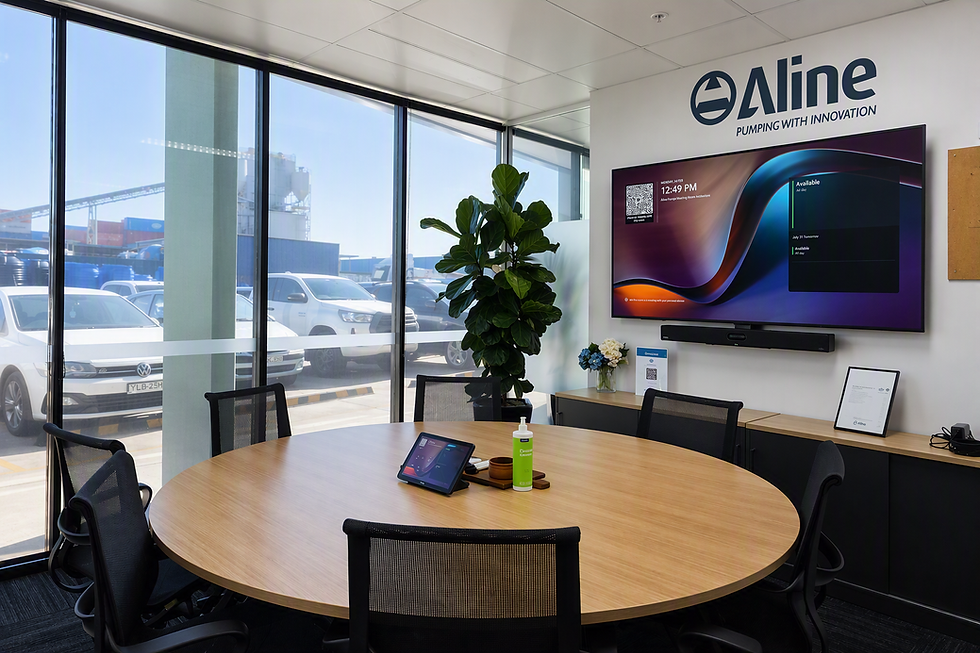
A Yealink A50-031 all-in-one meeting room bar
A Yealink CTP25 room controller
A 75-inch commercial-grade Yealink meeting room display
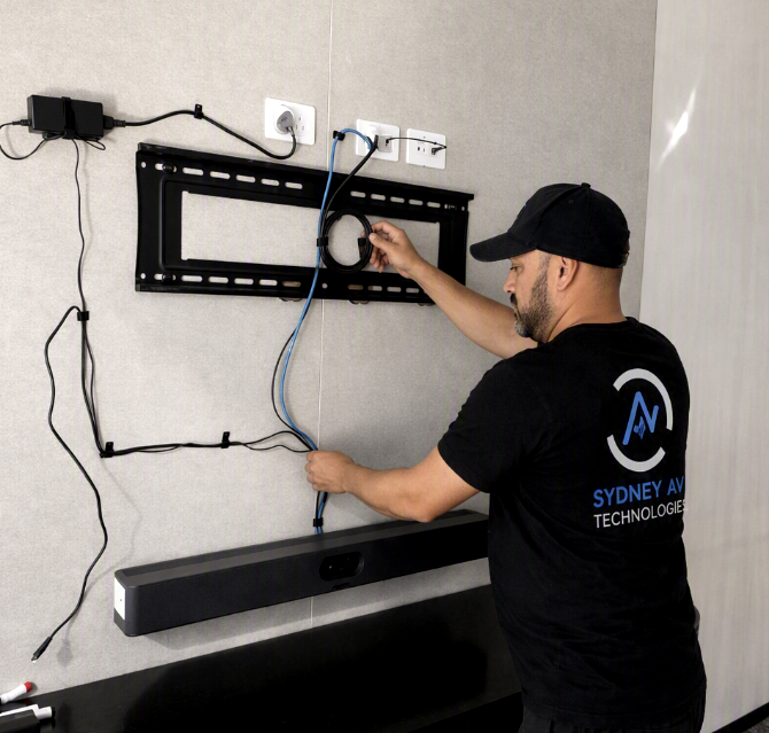
Professional installation and system configuration
Microsoft Teams connection and testing
Cable management and equipment tidy-up
Staff training
The Yealink A50-031 combines the room’s camera, microphones, speakers and video-conferencing technology into a purpose-built collaboration system. The room controller gives employees a clear and consistent way to start their meetings rather than having to manage multiple devices and connections.
The commercial-grade 75-inch Yealink display provides 500 nits of brightness and is designed for extended business use, making it far better suited to a brightly lit office environment than the previous consumer display.
Simplifying the User Experience
The objective was not simply to replace old equipment. It was to make the meeting room easier for everyone to use.
With the new system, employees can enter the room, view the scheduled meeting on the Yealink controller and select Join. There is no need to connect a laptop for an ordinary Teams meeting, locate the correct cable or manually configure the room’s camera and audio devices.
This creates a consistent experience:
Walk into the meeting room.
Select the scheduled meeting.
Press Join.
Begin collaborating.
The Yealink A50 is an all-in-one collaboration bar designed for medium-to-large meeting rooms. The solution includes a triple-camera system, intelligent audio capabilities and a direct connection to the Yealink room controller, reducing the number of separate components staff need to manage.
The Result: Meetings That Start Effortlessly
Following the upgrade, the Aline Pumps meeting room is no longer a source of uncertainty.
Meetings now start more effortlessly, staff enjoy using the room and employees are no longer as dependent on IT to get calls underway. The purpose-built Teams Room experience gives users greater confidence because the process is simple and consistent.
Aline Pumps has also seen increased use of the meeting room. Staff are choosing to collaborate together in meetings rather than defaulting to working from home simply because joining remotely had previously felt easier.
This is an important outcome. A meeting room investment should not be measured only by the equipment installed. Its real value comes from whether employees use the room, whether meetings begin on time and whether the technology helps people collaborate.
Why Purpose-Built Meeting Room Technology Matters
Consumer displays, USB cameras and small computers can appear to be a cost-effective way to build a meeting room. However, combining separate components often places more responsibility on the user.
Employees may need to understand:
Which cable to connect
Which camera to select
Which microphone Teams is using
Whether the display is on the correct input
How to resolve audio or video problems
Who to contact when the room does not work
A dedicated Microsoft Teams Room removes much of this complexity by creating a standardised experience that is designed specifically for shared meeting spaces.
For Aline Pumps, the upgrade transformed the room from a collection of individual devices into one complete collaboration environment.
A Better Meeting Room Experience for Aline Pumps
The Aline Pumps project demonstrates that effective meeting room technology is not about adding more equipment. It is about making the technology simpler.
By replacing an outdated consumer-based setup with a Yealink A50-031, CTP25 controller and commercial-grade Yealink display, Sydney AV Technologies created a meeting room that employees can use with confidence.
The result is:
Faster and more consistent meeting starts
Reduced dependence on IT support
Better visibility in the room
Fewer devices and connections for staff to manage
A cleaner and more professional meeting environment
Increased meeting room usage
Greater employee confidence in face-to-face collaboration
Is Your Meeting Room Creating the Same Problems?
If employees are regularly searching for cables, selecting audio devices or calling IT before meetings can begin, the meeting room is not working as it should.
Sydney AV Technologies designs and installs professional Microsoft Teams Room solutions that make workplace collaboration simple, reliable and easy to use.
Meetings that work. First time. Every time.
Book a Meeting Room Technology Review
Let Sydney AV Technologies assess your existing meeting room and recommend a solution designed around the way your staff actually work
Comments