
Sydney AV Technologies Transforms Meetings: HDL Insurance Brokers Success Story with New AV Meeting Room Solution

Effective communication plays a crucial role in any business, especially in industries like insurance where clear and efficient collaboration can impact client service and internal decision-making. HDL Insurance Brokers in Sydney faced challenges with their existing meeting setup, which relied on a Logitech camera connected through a PC running Zoom. The system involved multiple cables and complicated controls, making it difficult for staff to manage sound and screen sharing. This setup led to frustrating meeting experiences and wasted time.

Sydney AV Technologies recently upgraded HDL Insurance Brokers’ meeting room with the Yealink A40 Meeting Room Bar, transforming their collaboration environment. This blog post explores the problems HDL faced, how the Yealink A40 solved them, and the benefits the new system brought to their daily meetings.
Challenges with the Previous AV Meeting Room Solution
Before the upgrade, HDL Insurance Brokers used a Logitech camera connected to a PC to run Zoom meetings. While this setup was functional, it introduced several issues:
Complex cabling: Multiple cables connected the camera, microphone, speakers, and PC, creating clutter and confusion.
Difficult controls: Staff struggled to manage audio settings and screen sharing, often requiring technical support.
Poor audio and video quality: The Logitech camera and separate audio devices did not always deliver clear sound or sharp video.
Limited integration: The system was tied to Zoom, which was not the preferred platform for all meetings.
Time wasted: Setting up meetings and troubleshooting technical issues reduced productivity.
These problems affected the overall meeting experience, making collaboration less smooth and efficient.
Why HDL Chose the Sydney AV Technologies
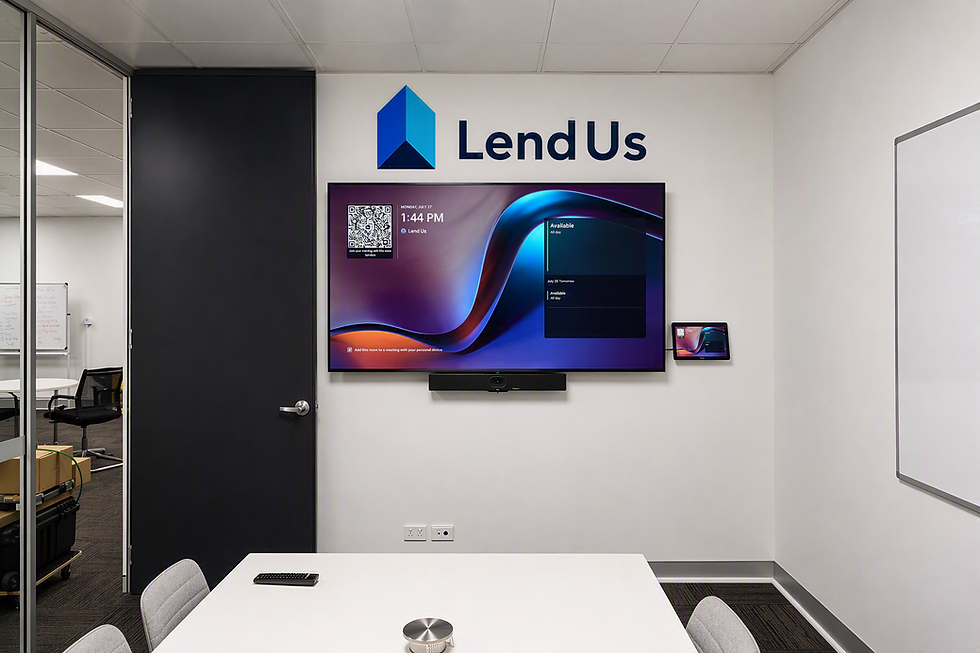
Sydney AV Technologies recommended the Yealink A40 Meeting Room Bar to address HDL’s challenges. This all-in-one device combines a high-quality camera, microphone array, and speaker into a single bar that connects with just one cable.
Key reasons for choosing the Yealink A40 include:
Simplified setup: One cable connects the device to the meeting room PC or laptop, reducing clutter.
Integrated audio and video: The built-in microphone and speaker deliver clear sound, while the camera provides sharp video.
Microsoft Teams compatibility: The system works seamlessly with Microsoft Teams, HDL’s preferred meeting platform.
User-friendly controls: Staff can easily manage meetings without technical assistance.
Compact design: The sleek bar fits neatly below the conference screen, saving space.
This solution promised to improve meeting quality and ease of use.
AV Meeting RoomInstallation and Transition Process
Sydney AV Technologies handled the installation with minimal disruption to HDL’s operations. The process included:
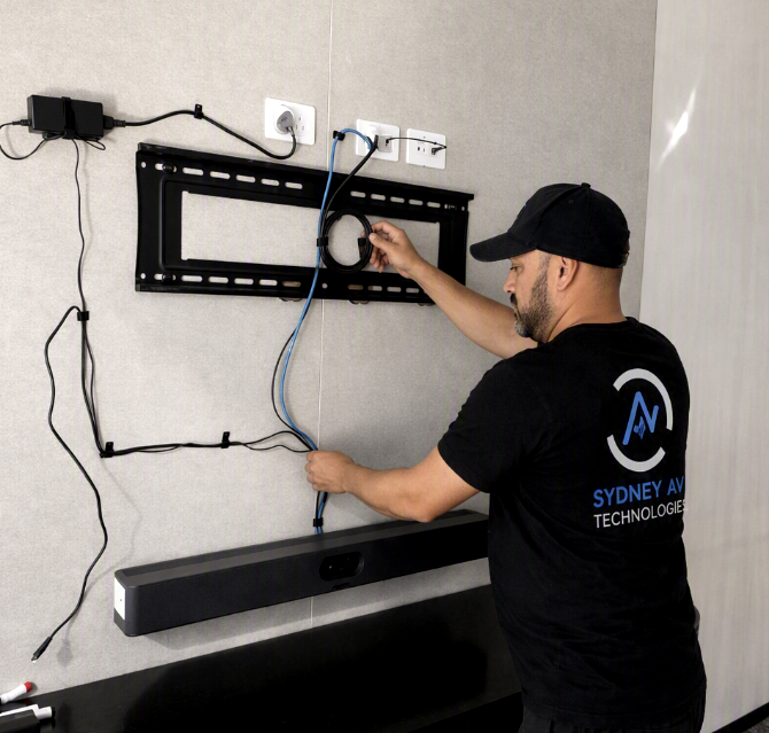
Removing the old Logitech camera and associated cables.
Mounting the Yealink A40 Meeting Room Bar below the main display.
Connecting the device with a single USB-C cable to the meeting room PC.
Configuring the system for Microsoft Teams integration.
Providing staff training on using the new equipment.
The transition took just a few hours, and staff quickly adapted to the new setup.
Improvements in Microsoft Teams Rooms Meeting Experience
After the upgrade, HDL Insurance Brokers noticed several positive changes:
Reduced setup time: Meetings start faster with fewer cables and simpler controls.
Clearer audio and video: The Yealink A40’s microphone array and camera deliver high-quality sound and visuals.
Seamless screen sharing: Staff can share content easily during Microsoft Teams meetings.
Less technical support needed: The intuitive system reduces the need for IT intervention.
Cleaner meeting room: The single-cable design declutters the space, creating a more professional environment.
These improvements have made meetings more productive and less stressful.
Practical Benefits for HDL Insurance Brokers
The new meeting system supports HDL’s daily operations in several ways:
Better client interactions: Clearer video and audio help build trust during remote consultations.
Efficient team collaboration: Staff can focus on discussions instead of technical issues.
Flexible meeting options: Microsoft Teams integration allows easy scheduling and joining of meetings.
Future-proof technology: The Yealink A40 supports updates and additional features as needed.
By investing in a reliable meeting solution, HDL enhances both internal and external communication.
Tips for Businesses Considering Similar Upgrades
If your organisation faces similar challenges, consider these tips when upgrading meeting technology:
Assess current pain points: Identify what causes delays or frustrations in meetings.
Choose all-in-one devices: Simplify setup and reduce cables with integrated solutions.
Match platform compatibility: Ensure the hardware works well with your preferred meeting software.
Train staff: Provide clear instructions to help users get comfortable quickly.
Plan installation carefully: Minimise downtime by scheduling upgrades during off-hours.
Following these steps can lead to smoother meetings and better collaboration.
Comments