
The Complete Guide to Microsoft Teams Rooms: What It Is and How It Transforms Modern Offices

In the era of hybrid work, the physical office space has had to evolve. No longer just a place with desks, a modern office serves as a collaboration hub where in-person employees must seamlessly connect with remote colleagues. Central to this evolution is Microsoft Teams Rooms (MTR).
But what exactly is Microsoft Teams Rooms technology used for in offices, and how does it differ from the standard Teams app you use on your laptop?
What is Microsoft Teams Rooms (MTR) Technology Used For?
At its core, Microsoft Teams Rooms (MTR) technology is used to transform physical meeting spaces into interactive, hybrid-collaboration ecosystems. Unlike a standard personal computer, an MTR system integrates certified hardware—such as smart cameras, omnidirectional microphones, speakers, and touch consoles—with a dedicated native interface designed specifically for shared meeting rooms.
In corporate environments, Microsoft Teams Rooms is primarily used for:
Bridging the Hybrid Gap: Creating equity between in-room and remote participants so everyone can see, hear, and interact fluidly.
One-Touch Meeting Joins: Eliminating the classic "AV setup delay" by allowing employees to walk into a room and launch a scheduled meeting with a single tap on a console.
Intelligent Content Sharing: Wirelessly casting presentations, whiteboards, or secondary screens to local and remote displays simultaneously.
Centralized Device Management: Allowing IT administrators to securely monitor, update, and troubleshoot workspace hardware from a single, cloud-based dashboard.
Key Features and Capabilities of Microsoft Teams Rooms
Microsoft Teams Rooms uses an array of hardware components and built-in artificial intelligence (AI) to optimize office operations.
1. Hybrid Meeting Equity with Front Row Layouts
One of the primary use cases of MTR is maximizing "meeting equity." Using the Front Row layout, the system shifts the video gallery to the bottom of the front-of-room screens, placing remote participants at eye level with those sitting in the physical room. This layout also displays interactive elements like meeting chats, raised hands, and live reactions side-by-side with the shared content.
2. AI-Powered Smart Cameras (IntelliFrame)
MTR hardware integrates advanced AI features like Microsoft IntelliFrame. Instead of a wide-angle view that makes people at the back of a long table look tiny, IntelliFrame utilizes automatic camera switching and smart video feeds to break the physical room down into individual video tiles. Remote workers see every in-room participant in their own frame, capturing subtle facial expressions and body language.
3. Intelligent Audio and Live Transcription
Equipped with certified intelligent speakers, Teams Rooms can distinguish between different voices in a physical room. This capability powers accurate real-time live transcription and automated meeting summaries, attributing spoken words to the correct in-room person rather than just labeling the text as "Conference Room."
4. Facilitator Agent and AI Assistance
Teams Rooms supports automated AI-driven agents directly in scheduled meetings. The Facilitator Agent can recognize agendas shared in the meeting chat, spin up active progress trackers, generate real-time meeting notes, and provide web-backed query answers instantly to the room's display.
Core Hardware Components of an MTR System
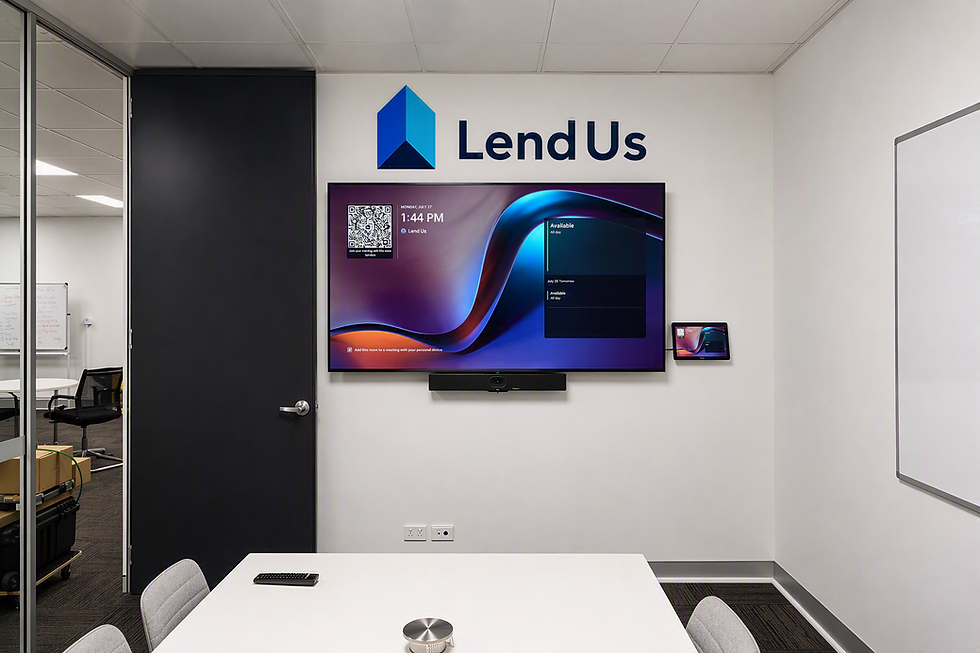
To deliver these capabilities, a standard Microsoft Teams Rooms setup typically consists of:
A Compute Module: A dedicated mini-PC running either Teams Rooms on Windows or Teams Rooms on Android.
A Touchscreen Console: Positioned on the conference table to manage the meeting, control audio, and invite participants.
Peripheral AV Devices: Certified high-definition smart cameras, soundbars, and microphone arrays.
Front-of-Room Displays: One or two large flat-screen displays or projectors to project participants and content.
Frequently Asked Questions (FAQ)
What is the difference between Microsoft Teams and Microsoft Teams Rooms?
Microsoft Teams is a software application built for individual users on personal devices like laptops and phones. Microsoft Teams Rooms is a specialized combination of dedicated hardware and tailored software engineered to manage shared physical workspaces, integrating external cameras, mics, and room consoles for group collaboration.
Does Microsoft Teams Rooms support Zoom or Cisco Webex meetings?
Yes. Through a feature called Direct Guest Join, Microsoft Teams Rooms hardware can natively join meetings hosted on external platforms like Zoom or Cisco Webex without needing to swap out the room's computer or cables.
What are the different licensing tiers for Teams Rooms?
Microsoft offers two primary licensing tiers:
Teams Rooms Basic: A free license bundled with certified hardware, capped at 25 rooms, providing core functionalities like one-touch join and wireless content sharing.
Teams Rooms Pro: Designed for enterprise environments, offering advanced AI features (like Front Row and IntelliFrame), multi-screen support, and comprehensive remote device management via the Pro Management Portal.
Comments